Type: Solo
Project Length: 1 Month
Skills:
Tools:
What was the goal?
This was a project for a programming class, where we had to choose an animal and program an AI using a finite-state machine that simulates its behaviours. We also had to ensure that these different states were telegraphed in order to communicate what the AI was doing to the player.
What was the output?
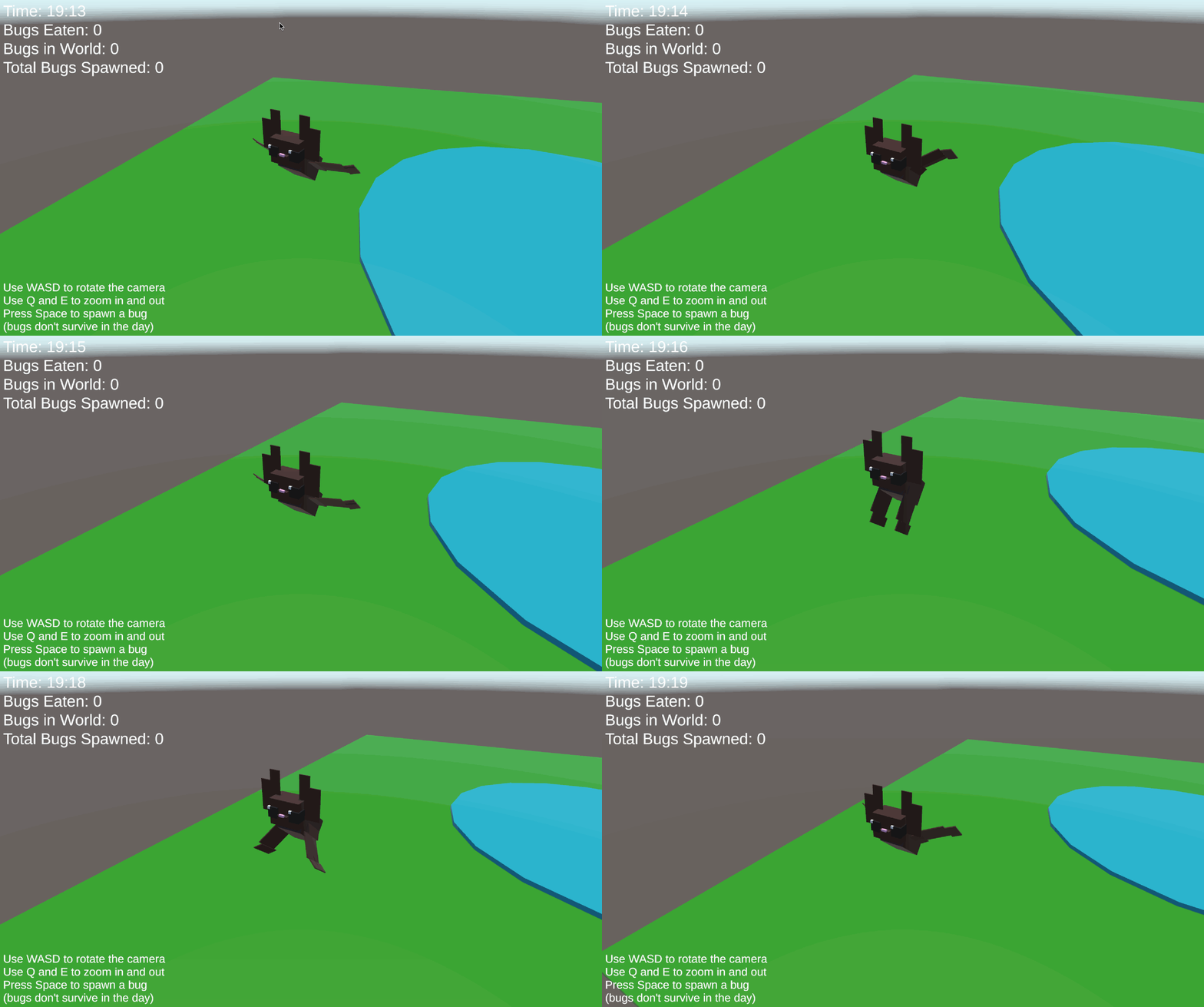
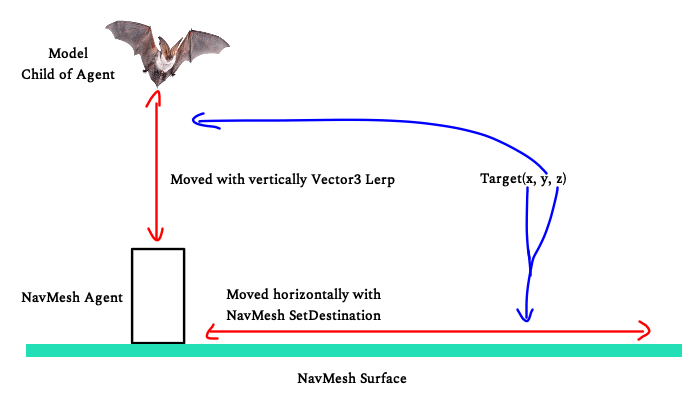
Being one of my favourite animals, I decided to make my AI a bat! I started by creating a little model in Unity, just reshaping some cubes to look like a bat so that I could create some animations. I also made it a simple environment to fly around in. This brings me to how I programmed the flying navigation! For this project, I simply used Unity’s built in NavMesh to decide horizontal movement, but that left vertical movement still needing to be done.
To work around it, I had the NavMesh be a moving object on the ground, to which I attached my bat to. The bat would then calculate its target vertical location; while flying around idly, this would be a random increase or decrease, and when it targeted something it would fly to the correct vertical position. This allowed me to achieve a really natural looking flying navigation!
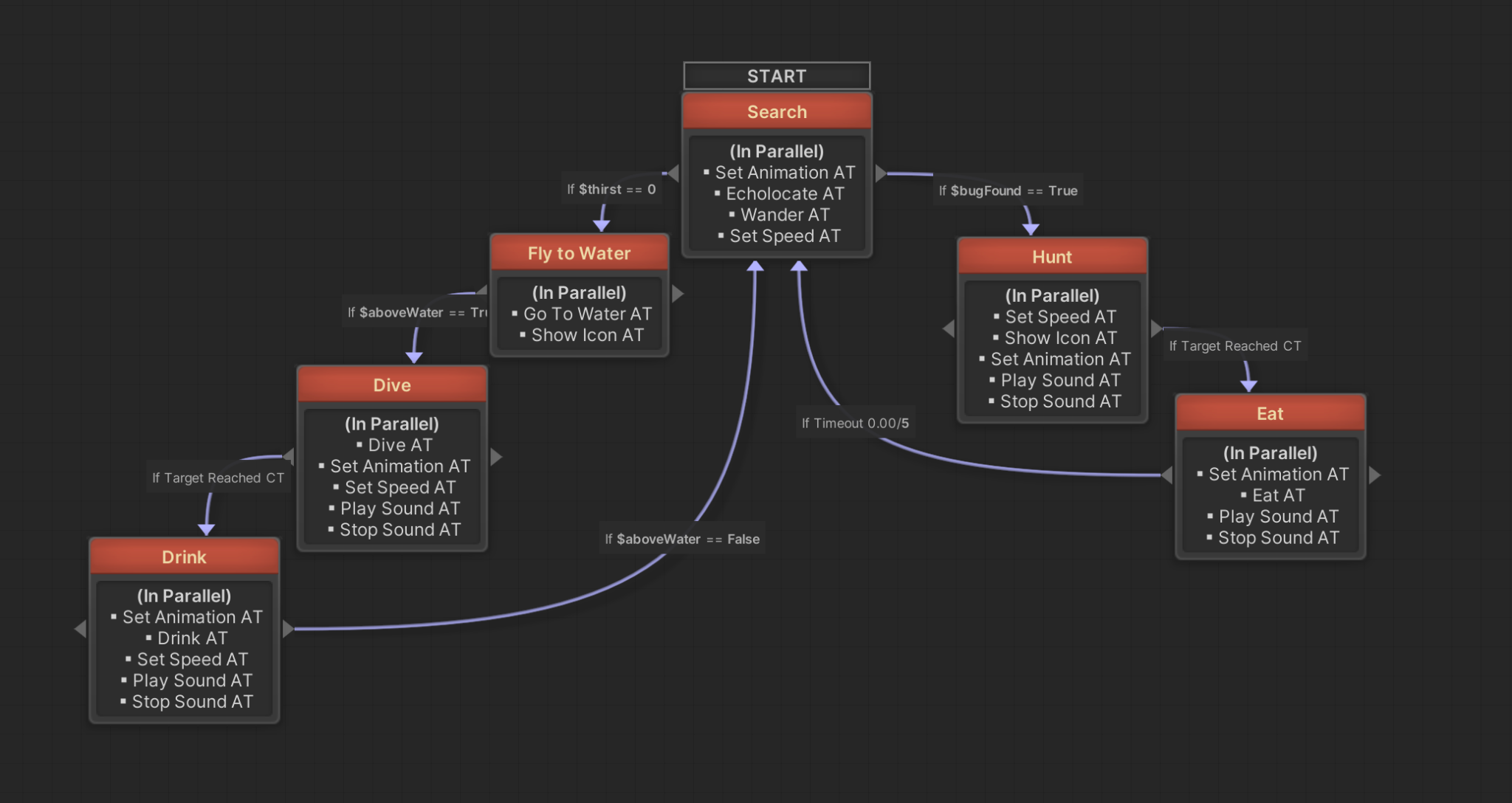
Aside from that, the state machine simply checked whether the bat was hungry or thirsty, and made it catch mosquitos or dive down to the little pond and glide across to drink water, each state with its own animation, as well as little pixel art thought bubbles that telegraph what the bat is thinking! Aside from idly flying, drinking, and eating, the bat had one more final state, which was to go to sleep once it turned morning. The AI simply navigates back to the cave I made for it, and starts playing an animation where the bat hangs upside down, where it sleeps until night time again.
Takeaways
I adored this project! I was actually extremely proud of my low-poly bat, I think that it’s really one of the highlights of the project; my professor and a lot of my peers found the animations adorable, especially the one where it goes to sleep! Aside from that, I’d say I’m especially happy with how the flying turned out. I think the work around I did with the NavMesh worked really well for the flying effect, allowing the bat to effectively navigate through a 3D space.